
Stop guessing what's loading on your site.
Nahnu Asset Scanner scans your front end and builds a precise, attributed inventory of every JS file, CSS file, cookie, and external domain. Configure your cache plugin and cookie consent from real data, not guesswork.
Cache and consent configs are only as good as your data.
Which scripts should you exclude from defer?
Generic guides list common ones. But your site has plugins those guides have never heard of. Deferring the wrong script breaks things, and you won't always know why.
Which cookies actually need consent?
Cookie consent plugins scan your site, but they don't always attribute cookies to the plugin that sets them or categorize them correctly. You end up over-blocking or missing things entirely.
What third-party services is your site calling?
Every plugin can silently phone home to an external domain. Until you look, you have no idea what belongs on your GDPR processor list or what is slowing your site down.
The missing step before you configure anything.
Run a scan first. Then configure your cache plugin and cookie consent from real data, not assumptions.
Cache optimization
See every JS and CSS file loaded on your site: the exact handle, file path, size, and the plugin that registered it. Know what to exclude before you flip a defer setting.
Cookie consent accuracy
Get a categorized cookie inventory from a real scan of your site. Each cookie is labeled Necessary, Preferences, Analytics, or Marketing, with the plugin that sets it already identified.
Third-party auditing
Every external domain your site contacts during a page load, captured and listed in one tab. Use it as the starting point for your Content Security Policy or GDPR processor list.
Three steps. No setup. No account.
The scanner only runs when you click the button. Zero impact on your visitors.
Select your pages
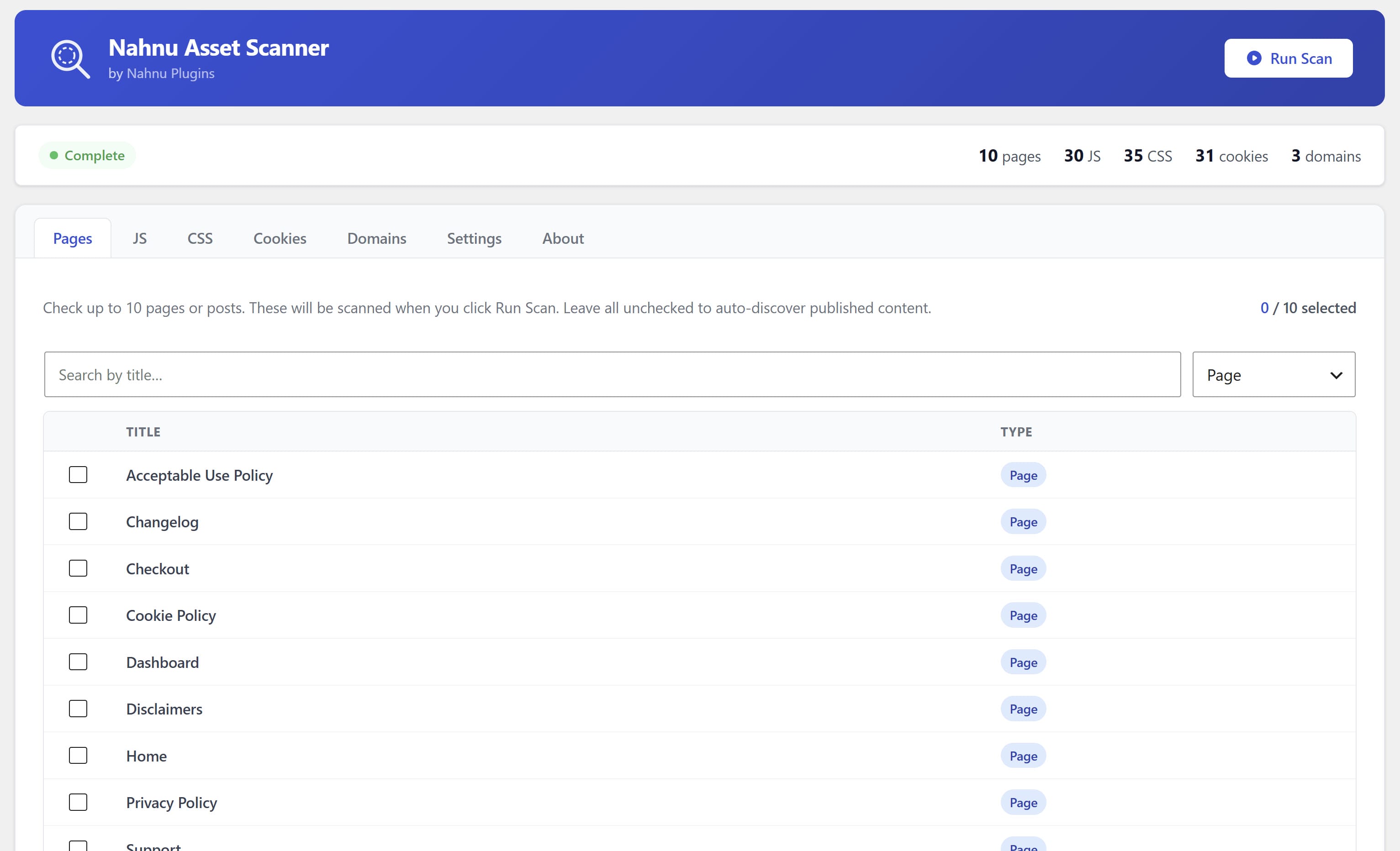
Choose up to 10 pages to include: homepage, shop, checkout, blog. Run multiple scans to cover different sections of your site.
Run the scan
Click Run Scan. The plugin visits each page on your server with no external API calls and no data leaving your site. Results stored in your own database.
Use the results
Browse the JS, CSS, Cookies, and Domains tabs. Filter, search, and export. Copy exactly what you need into your cache plugin or consent platform.
Four tabs. Complete picture.
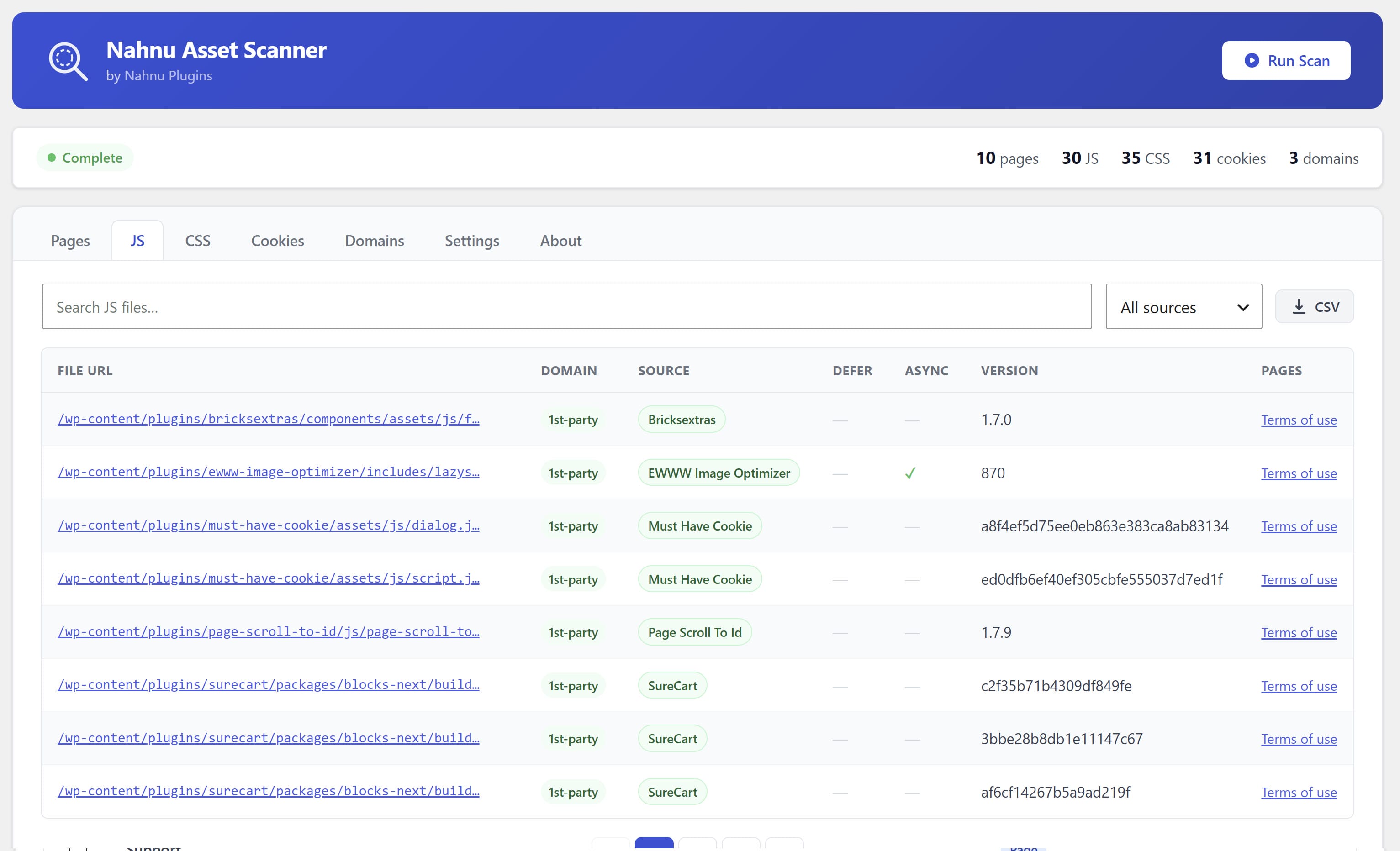
Every script, attributed.
See every JavaScript file loaded on each scanned page, inline or external, with the WordPress handle, file path, file size, and the plugin or theme that registered it.
- Exact file paths ready to paste into WP Rocket, Perfmatters, or LiteSpeed
- Third-party badges: Analytics, Marketing, Payment, CDN, Chat, and more
- Inline script detection and size reporting
- Filter by first-party / third-party or search by filename
- Export with one click
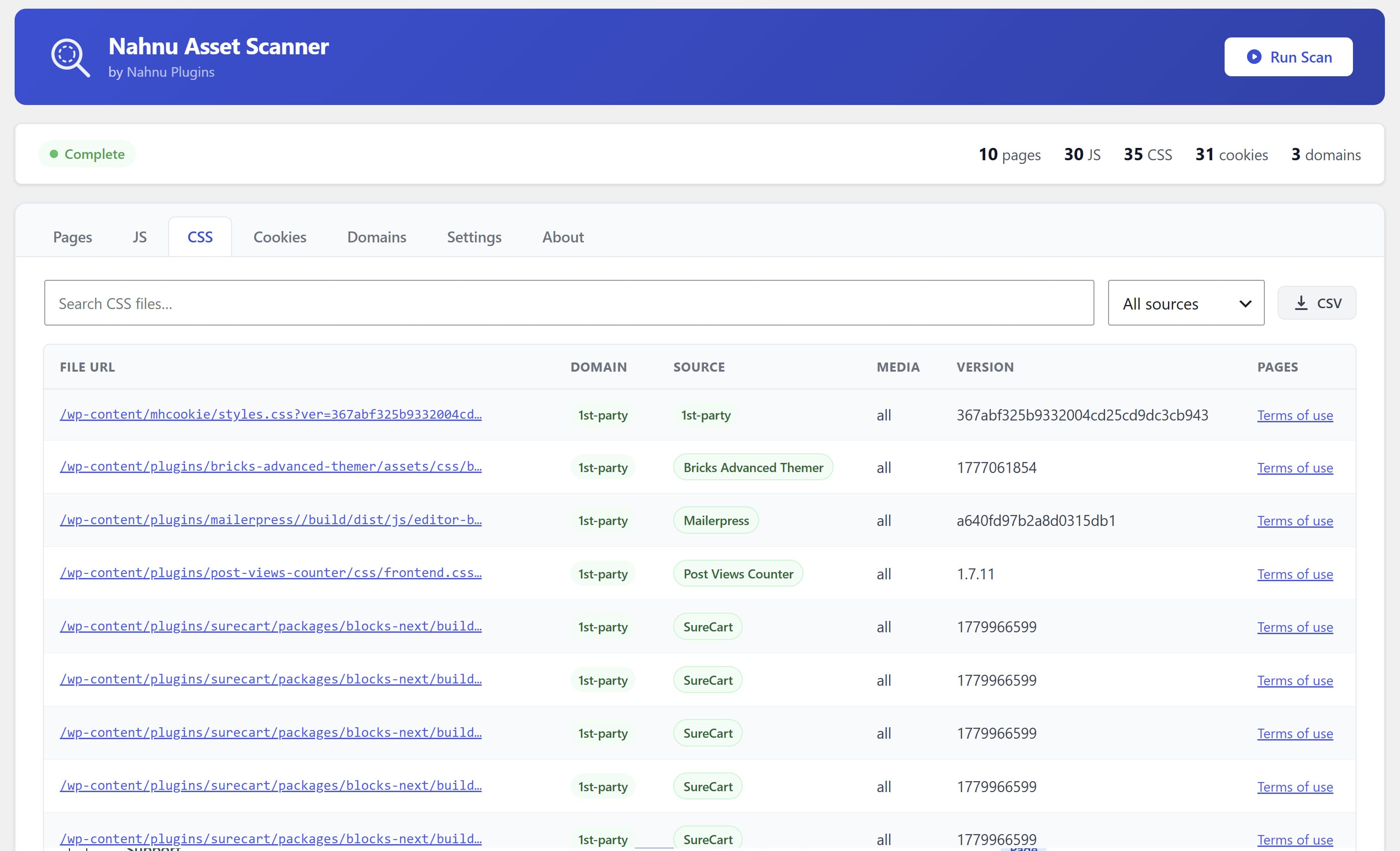
Every stylesheet, identified.
Every CSS file with its WordPress handle, full path, file size, and the plugin or theme it came from. Know exactly which stylesheets to exclude from combine or minify.
- Plugin attribution for every stylesheet handle
- File size at a glance so you can spot bloated stylesheets
- First-party vs. third-party classification
- Filter, search, export
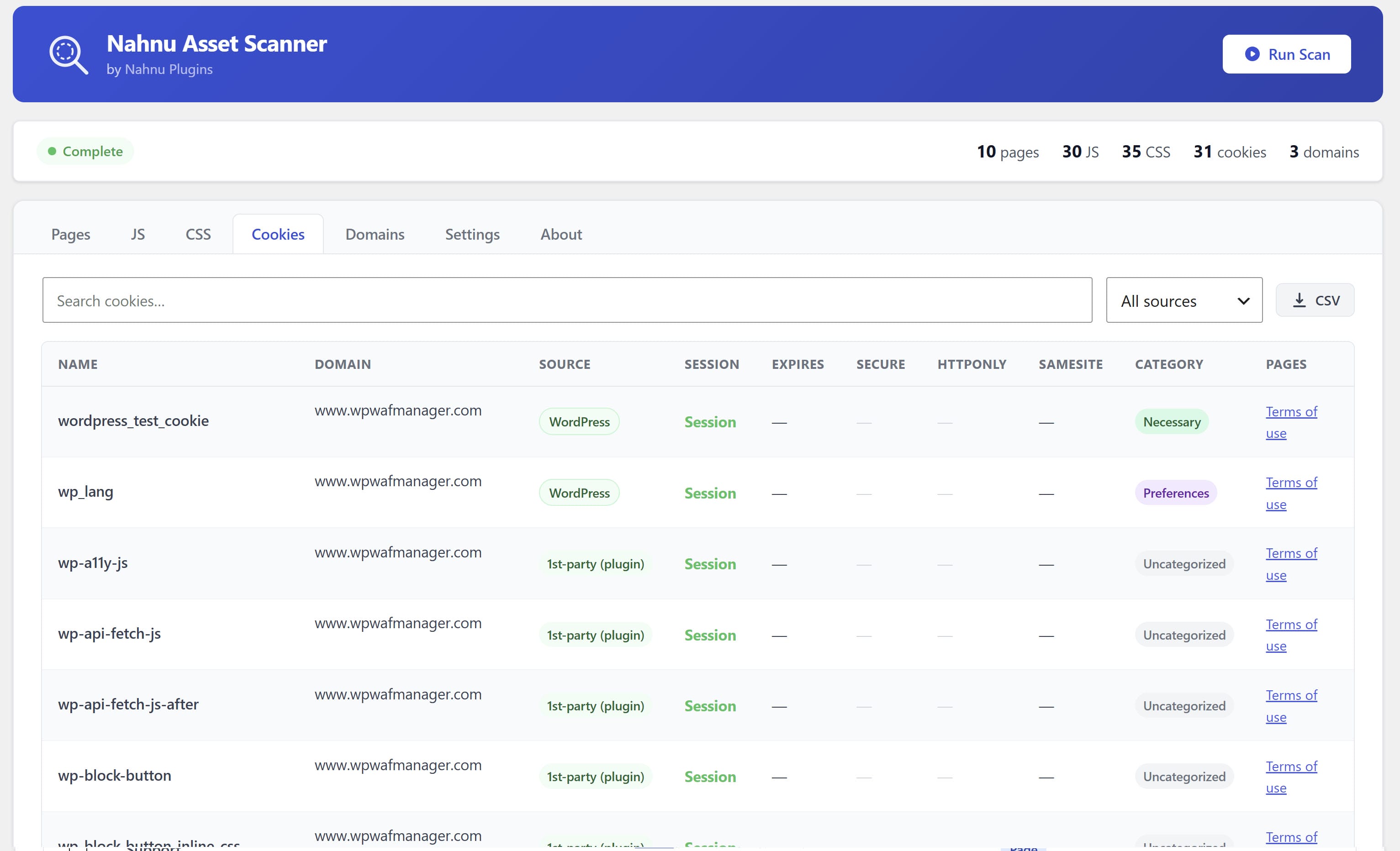
Every cookie, categorized.
A complete cookie inventory from a real scan of your site, not a template list. Each cookie is matched against 600+ patterns, categorized, and attributed to the plugin that sets it.
- Necessary / Preferences / Analytics / Marketing categories
- Plugin attribution for every detected cookie
- Cookie expiry and domain details
- Export ready for your consent platform
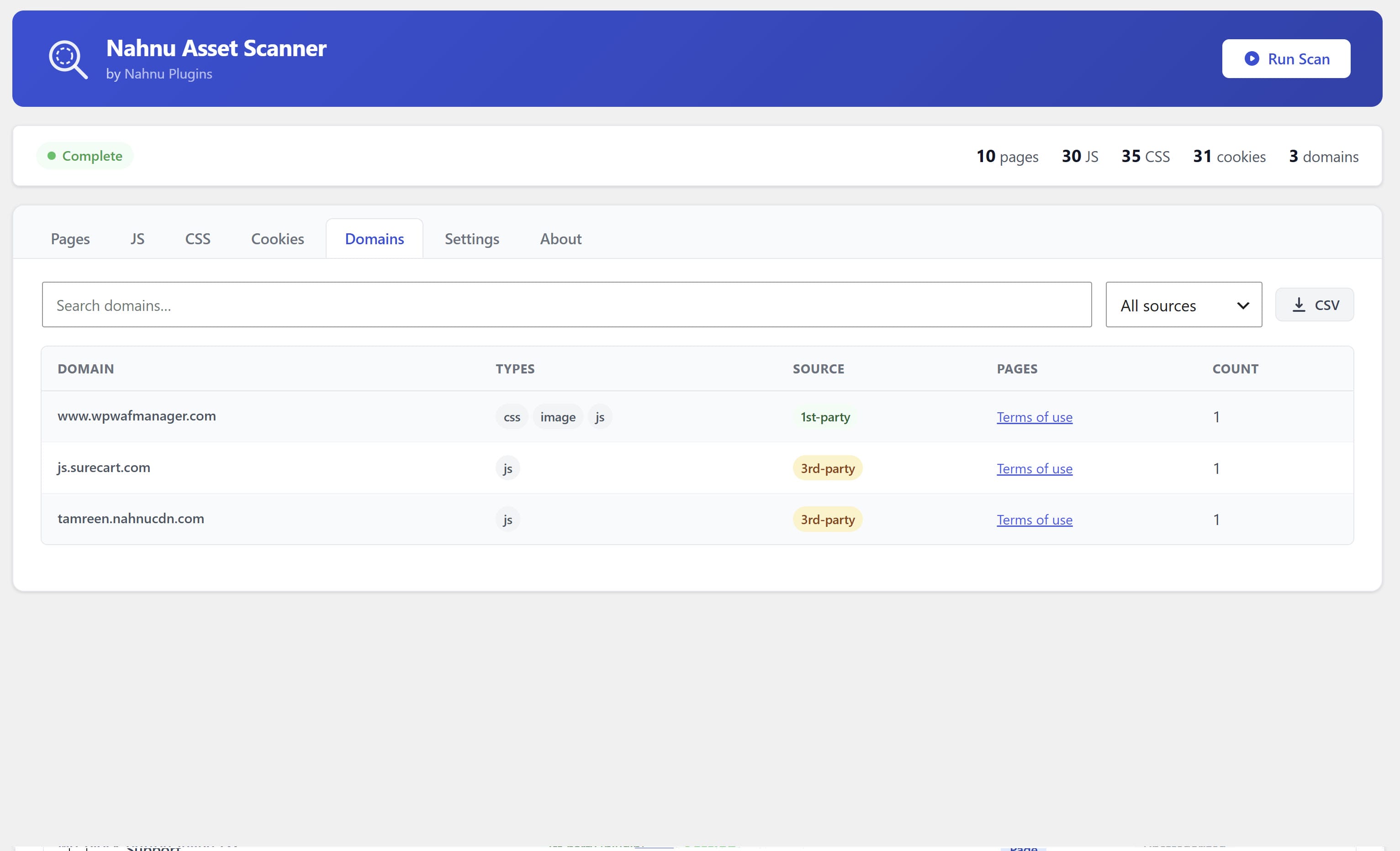
Every external call, exposed.
See every third-party domain your site contacts during a page load. Every external call logged, no external service required.
- Every third-party domain logged per scanned page
- Foundation for a Content Security Policy
- Starting point for your GDPR processor list
- Export
Feeds directly into the tools you already use.
Asset Scanner is not a replacement for your cache or consent plugin. It is the preparation step that makes them work correctly.
Free. No license key. No account.
Install it, run a scan, and walk away with a complete inventory of your site. Everything works out of the box with no signup required and no data leaving your server.